← Back to projects

Personal project

IFC Automation Toolkit

A web-based IFC toolkit integrated into the 3D Viewer platform for merging IFC model content, enriching model data and validating information requirements directly through the browser.

IFC Web-Based Tools 3D Viewer Model Data
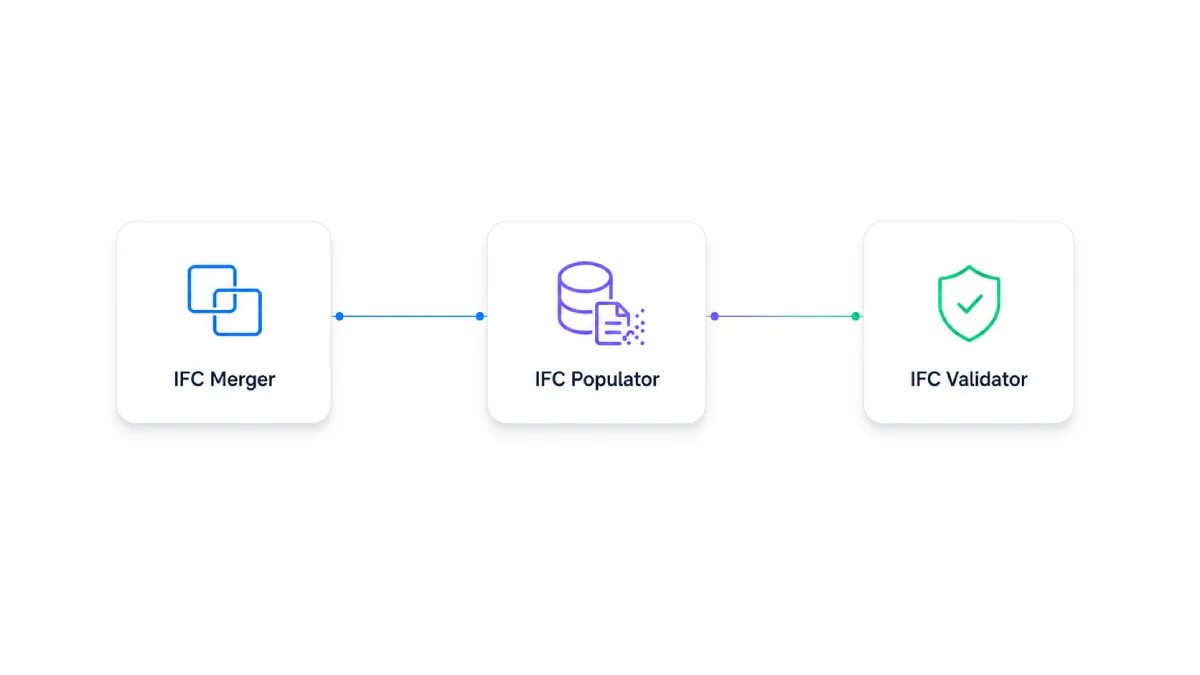
IFC automation toolkit workflow

Overview

The toolkit extends the 3D Viewer from model access into practical IFC data workflows. Selected users can work with IFC files directly in the web application, without opening separate desktop tools or specialist authoring software.

This makes IFC preparation and checking easier to include in project workflows, especially when clients or wider project teams need controlled access to model information.

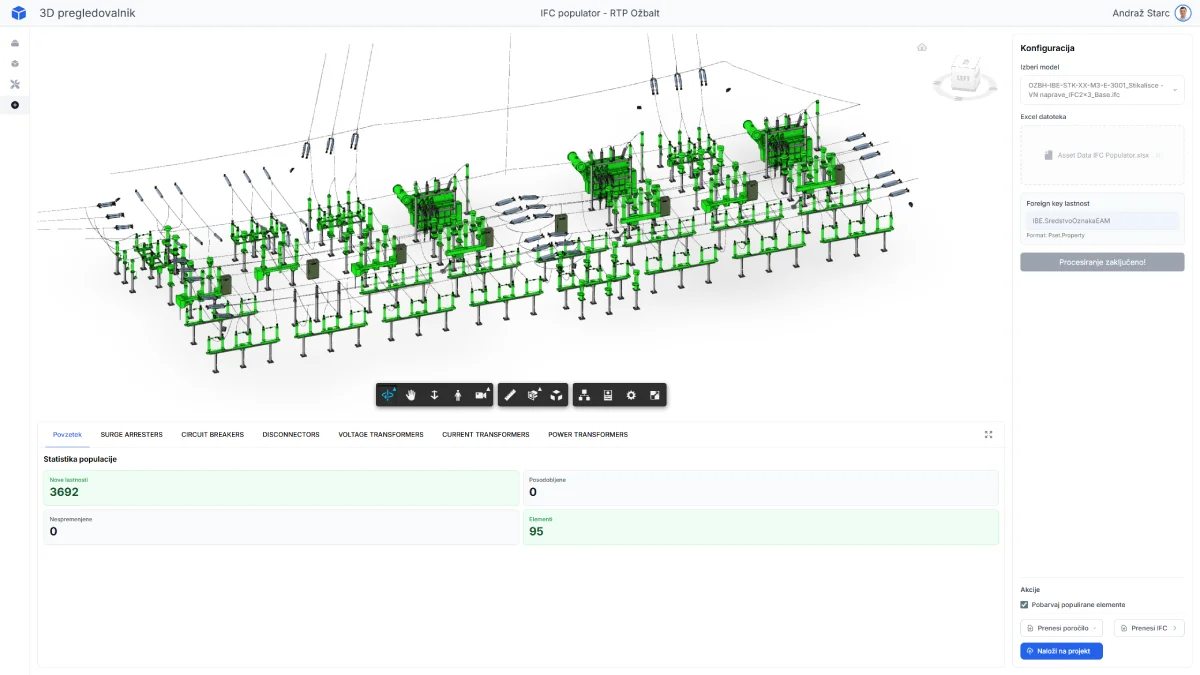
IFC tools inside the viewer environment

IFC tools inside the viewer environment.

Model review, asset information and selected IFC processing tools can be accessed from the same browser-based platform.

Toolkit modules

Three tools for structured IFC workflows.

The current implementation covers model merging, data population and validation. Additional modules can be added as project requirements evolve.

01

IFC Merger

Combines separate IFC model parts into a structured model package for exchange, review or downstream use.

Merges separately generated IFC components.
Supports consistent project and spatial organization.
Helps prepare structured IFC deliveries.
02

IFC Populator

Adds structured information to IFC objects using external data sources, templates or project-specific mappings.

Writes property sets and typed attribute values.
Connects IFC objects with controlled asset data.
Reduces repetitive manual IFC editing.
03

IFC Validator

Checks IFC model information against defined requirements before exchange, review or handover.

Checks required property sets and attributes.
Supports rule-based model data validation.
Helps identify missing or inconsistent information.

Workflow

From model access to structured IFC delivery.

The tools support a browser-based workflow where IFC models can be combined, enriched and checked before delivery or further use.

1. Open the tools in the platform

Authorized users access selected IFC workflows from the same environment used for model review.

2. Combine model content

Separate IFC components can be assembled into a more coherent model package.

3. Enrich model information

Project or asset data can be written into IFC objects as structured information.

4. Validate before delivery

Required information can be checked before exchange, review or handover.

Value

The toolkit brings IFC preparation, enrichment and validation closer to the project team. Instead of relying only on isolated scripts or desktop workflows, selected IFC tasks can be handled in the same controlled web environment used for model access.

Web-based access

IFC tools can be used through the browser without specialist desktop software.

Wider usability

Workflows can be made available to internal teams, clients and project stakeholders.

Extensible platform

Additional IFC tools can be added as delivery and data requirements evolve.

Extending the 3D Viewer with IFC automation.

The IFC Automation Toolkit adds browser-based tools for preparing, enriching and checking IFC model information inside the wider viewer platform.